In this article
PetSoph does not have a single global search bar: every list has its own search, designed for the kind of data it shows. That way a customer, a pet, a product or an invoice is found quickly.
Search within a list
- Open any section with a table (for example Clientes, Mascotas or Productos).
- Press the Search button on the list toolbar.
- Type in the text field: the list filters with every keystroke.
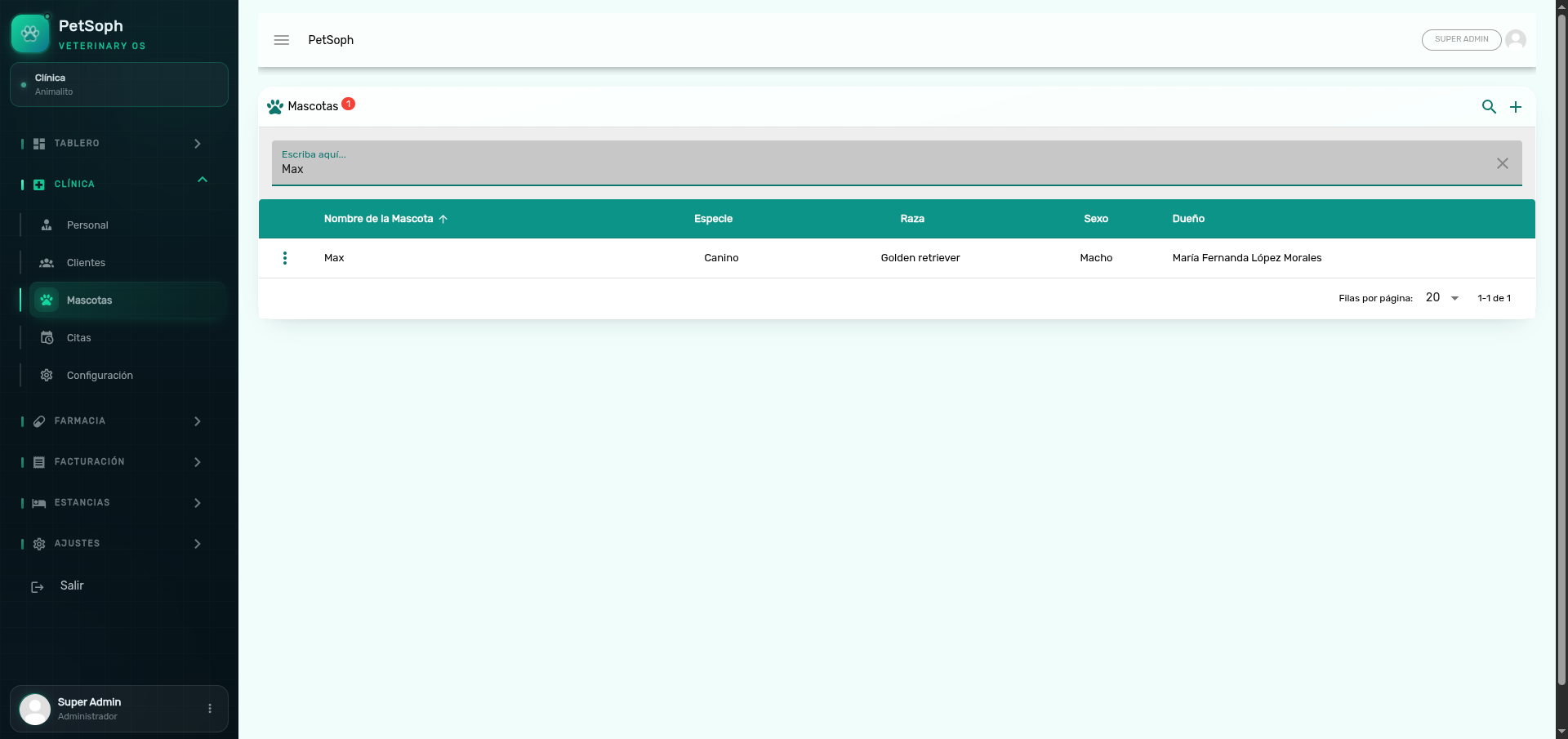 Figure 1. Instant search and filtering in the pets list.
Search by name, phone, email or any data shown in the columns. On Mascotas (pets) you can also search by the owner’s name.
The pet and customer pickers
Forms (consultations, stays, billing) use a smart selector:
- Click the Buscar Mascota (find pet) or Buscar Cliente (find customer) field.
- Type three or four letters of the name.
- Pick an option from the suggestions shown below.
The suggestions show the pet with its owner. If you cannot find a record, check that the name is spelled the way it was registered (accents included).
Common errors
I can’t find a pet
Try searching by the owner as well. The pet may exist but be registered under a slightly different name.
Results do not appear instantly
The search waits a moment while you type so the list is not overloaded; stop typing for a second and the results refresh.
What’s next
- Navigation: learn how to reach every list.
- First steps: get to know the home screen.
- My account: review your sign-in details.