In this article
The medical consultation is the record of a visit: the veterinarian sees the pet, notes the reason for the visit, explores it, reaches a diagnosis and, if needed, writes a prescription. In PetSoph each consultation belongs to the pet’s clinical record and can generate one invoice.
Getting there
- Clinical → Medical consultation (New consultation from the record of an open pet).
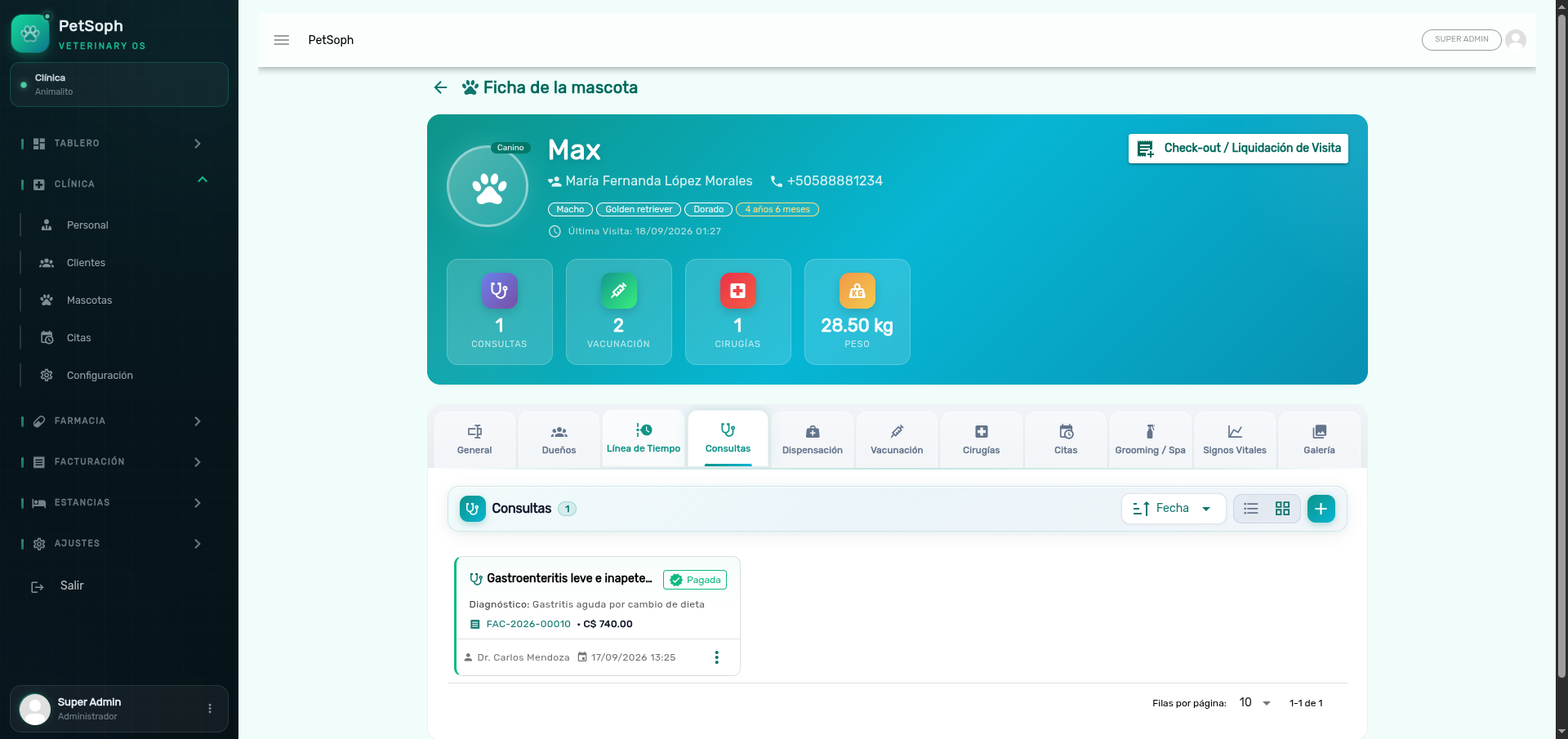 Figure 1. List of recorded medical consultations with diagnosis and prescriptions.
1. Registering the visit
- Pet and date and time of the consultation.
- Reason for the visit (
reason): in the owner’s words, e.g. “he stopped eating”. - Clinical signs / symptoms (
symptoms): what the vet observed and the owner reports. - Physical exam findings (
physicalExam): what the exploration reveals. - Working diagnosis (
diagnosis): the provisional or definitive diagnosis (choose from the catalog). - Observations (
observations): free text to complete the record. - Photos (up to 3): lesions, masses, rashes… each with optional caption.
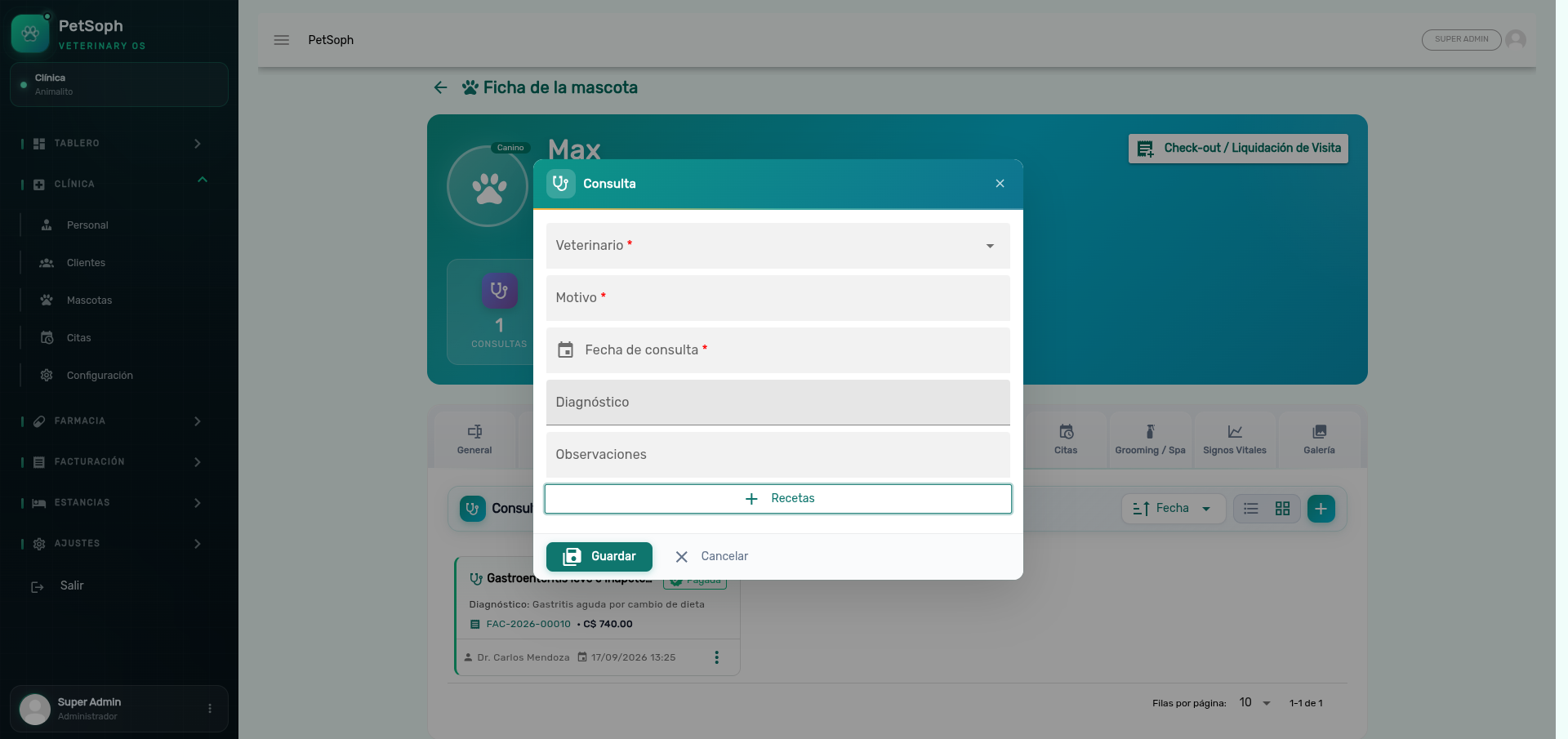 Figure 2. Dialog for recording a medical consultation, diagnosis, and prescriptions.
The clearer the reason for the visit (as the owner says it) and the clinical signs, the better the follow-up: the next veterinarian reads the same story in seconds.
2. Medical prescription (recipe)
In the same screen, in the Prescription section, you add the medicines:
| Field | What it is for |
|---|---|
| Medicine (product) | The active product from the pharmacy catalog |
| Dosage | e.g. 1 tablet / 5 kg every 12 hours |
| Frequency | How often per day |
| Duration | Number of days of treatment |
| Route | Oral, topical, injectable… |
| Parenteral? | Mark if it requires dispensing (see below) |
| Observations | Free text (e.g. “with food”) |
The prescription is the formal order to the pharmacy: it is what will be dispensed later and what appears on the printable prescription.
Controlled medicines
If the product is a controlled drug, PetSoph requires:
- The vet has a valid license. Without a license, prescribing that medicine is blocked.
- The record keeps track of the controlled medicine.
Prescribing a controlled medicine without a valid veterinarian license is not allowed: the system blocks it immediately and warns you.
Save and bill
- Save the consultation (it remains ready to bill).
- If you closed the visit already, settle it with the Consolidated check-out to charge consultation + prescriptions in a single invoice.
A consultation is invoiced only once. To fix the amount, void the invoice from the Cash Register first; it cannot be deleted straight from the record.
What’s next
- The clinical record: the tab where the consultation accumulates.
- Appointments: the clinic schedule with table and calendar views.
- Vaccination: the vaccination card, next dose included.
- Vital signs: weight, temperature, heart and respiratory rate.
- Consolidated check-out: how to settle the whole visit in one invoice.