In this article
The Billing & Cash Register module is the financial center of PetSoph: here the clinic’s services (consultations, vaccinations, surgeries, grooming and stays) are invoiced and the owners pay at the cash register. It connects clinical activity with money: each clinical act generates one invoice, and each invoice is collected once.
Getting there
- Side menu Billing & Cash → Cash Register — where payments, shifts and close-outs live.
- Also reachable per act from the clinical record Consolidated check-out.
What you can do here
| Area | Screen | Purpose |
|---|---|---|
| Billing | Invoices | Create, view, collect and void invoices |
| Cash Register | Cash Shifts | Open a shift, register collections, close with the arqueo |
| Cash Register | Close-out & Cuts | Per-period reports and cash cut |
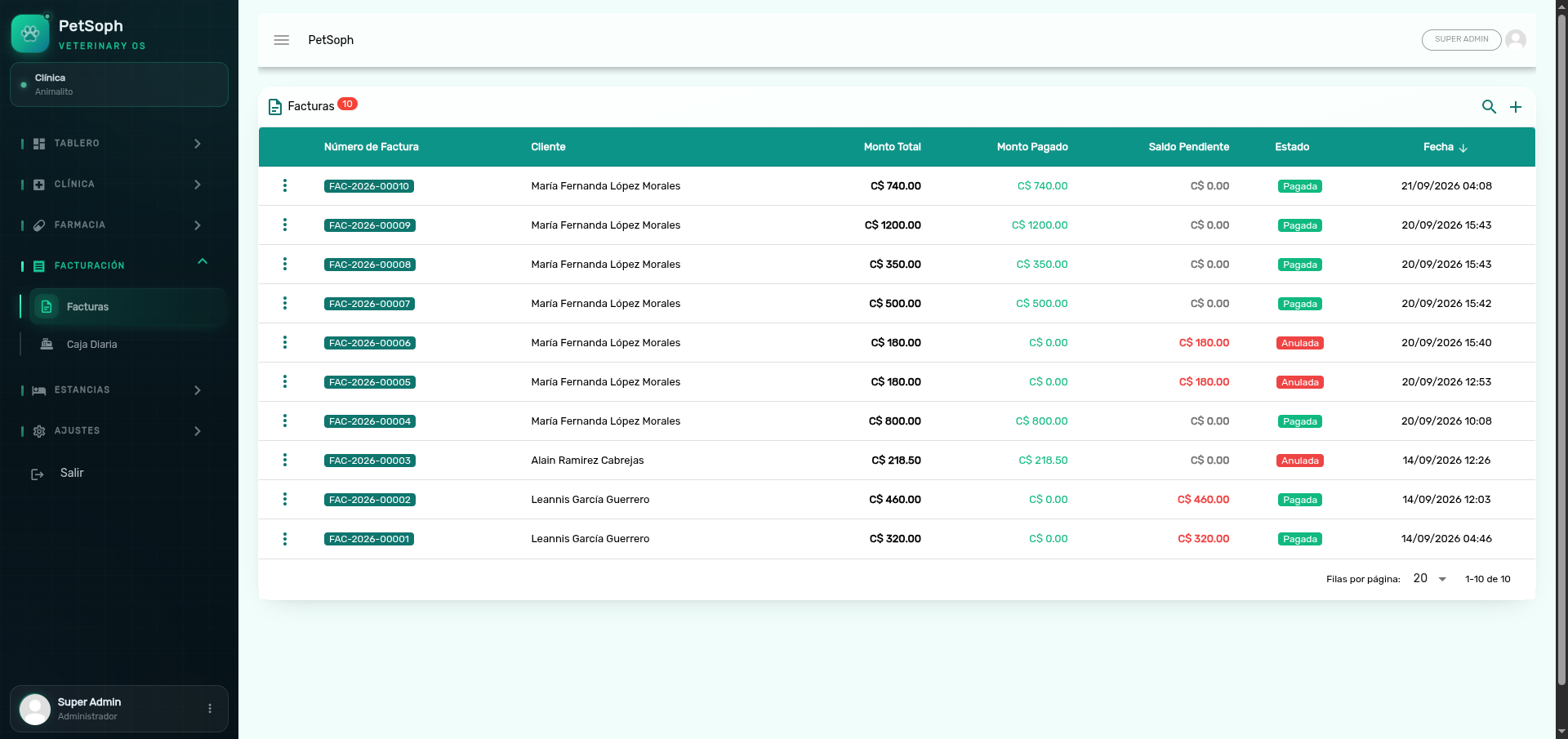 Figure 1. Invoices list and financial control overview.
Key ideas
One invoice per clinical act
Each clinical act (consultation, vaccination, surgery, grooming, stay) is billed exactly once. If it already has an invoice, the system blocks a second billing with a warning.
The invoice number
Every invoice gets a sequential number: FAC-{year}-{consecutive 5 digits} (e.g.
FAC-2026-00001). The consecutive is per year and returns to 00001 in January.
The cash shift
To collect money you need an open cash shift (cashier’s daily session). Without it the system blocks all billing with a warning.
To bill, the pet needs a main owner and there must be an open cash shift. Without an owner or an open shift, the system blocks the operation and warns you.
Void, don’t delete
A clinical act that is already invoiced cannot be deleted from the record. To correct it you must void the invoice from the Cash Register; only then the act returns to ready to bill.
What’s next
- Cash shifts: open, collect and close the shift.
- Invoices and their lifecycle: every state and the numbering.
- Payments and deparements: how money enters the shift.
- Close-out and arqueo: square the counted against the expected.
- Voiding invoices: refund and correct from the register.
- Stay billing: lodging & hospitalization by days.
- Consolidated check-out: one invoice for the whole visit.