In this article
How do I know who modified a piece of data?
Use the log Administration → Activity Log (Registros). Filter by user, action, date or workstation, and open the detail of each record to see its full content. The log shows which account made the change, from where and when.
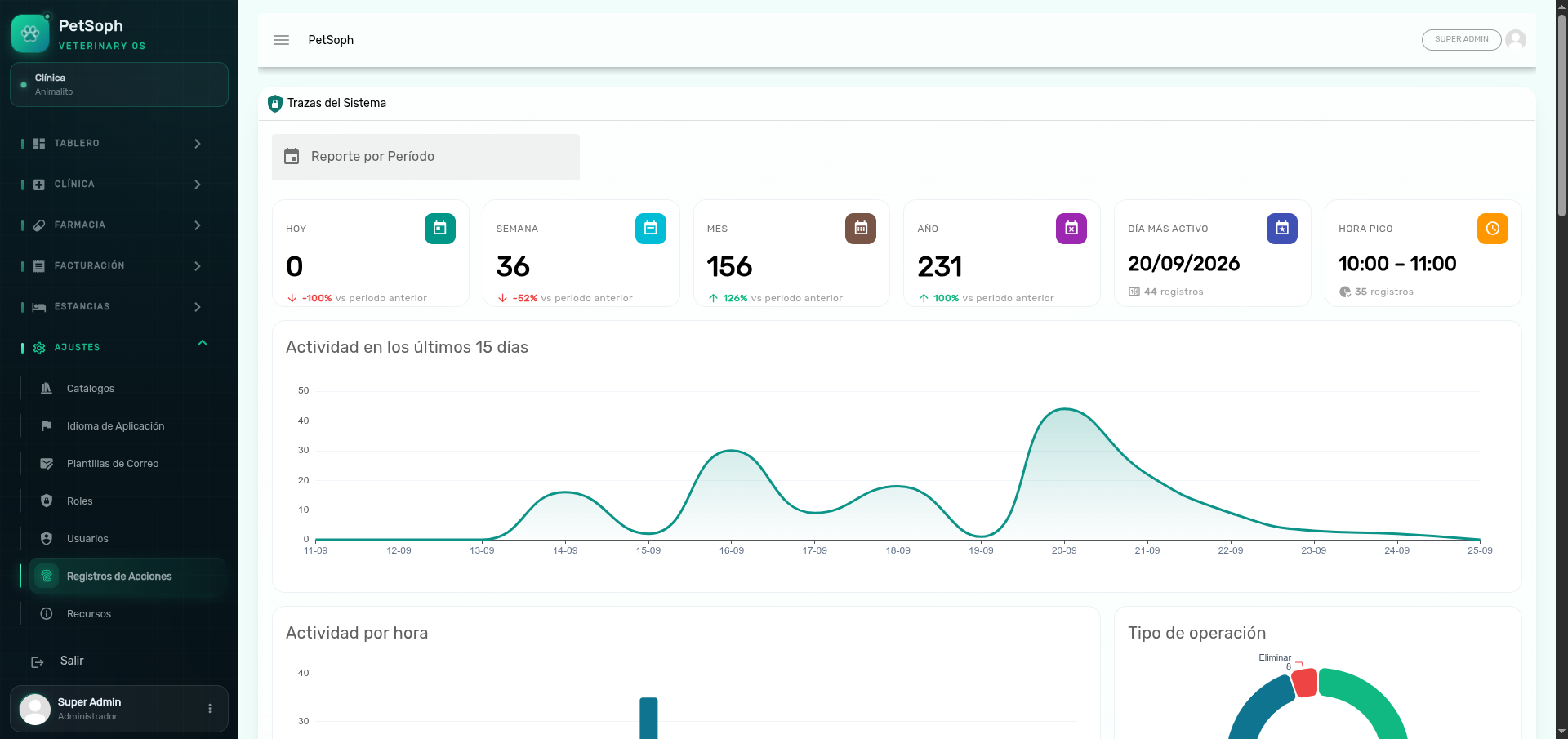 Figure 1. Filters and change audit in the activity log.
What does the log record?
It automatically records the create, update and delete operations on the managed entities (users, pets, invoices, appointments, boarding stays, etc.).
Can I edit or delete an activity record?
No. The log is read-only: records are neither edited nor deleted from the interface. They are the clinic’s historical evidence.
That is why, after a data entry mistake, you should not try to “erase the history”: the right thing is to correct the current data and leave a trace in the log.
Can mistakes in data with a history be corrected?
Yes, but without deleting. In the modules with a history (for example the inventory tracking/kardex), corrections are made with offsetting movements: the inverse adjustment is recorded instead of modifying or deleting the original movement. This keeps the history complete and auditable.
What is the “workstation” I see in the log?
It is the device from which the action was performed (the computer’s network name). It is used to know the physical origin of a change.
Can I see what a record contained before the change?
The detail of each activity record shows the content associated with the operation (the record as it was left after the action). To rebuild a before/after, compare consecutive update records.
Does the log keep my passwords?
No. PetSoph never stores passwords as plain text: they are stored encrypted and do not appear in the activity records or on any screen.