In this article
Registros (also Registros del Sistema) is the activity log of PetSoph: an automatic recording of what happens in the application — who created, updated or deleted each record, from which workstation and when.
How to get there
- Sign in to PetSoph.
- Side menu Administración → Registros.
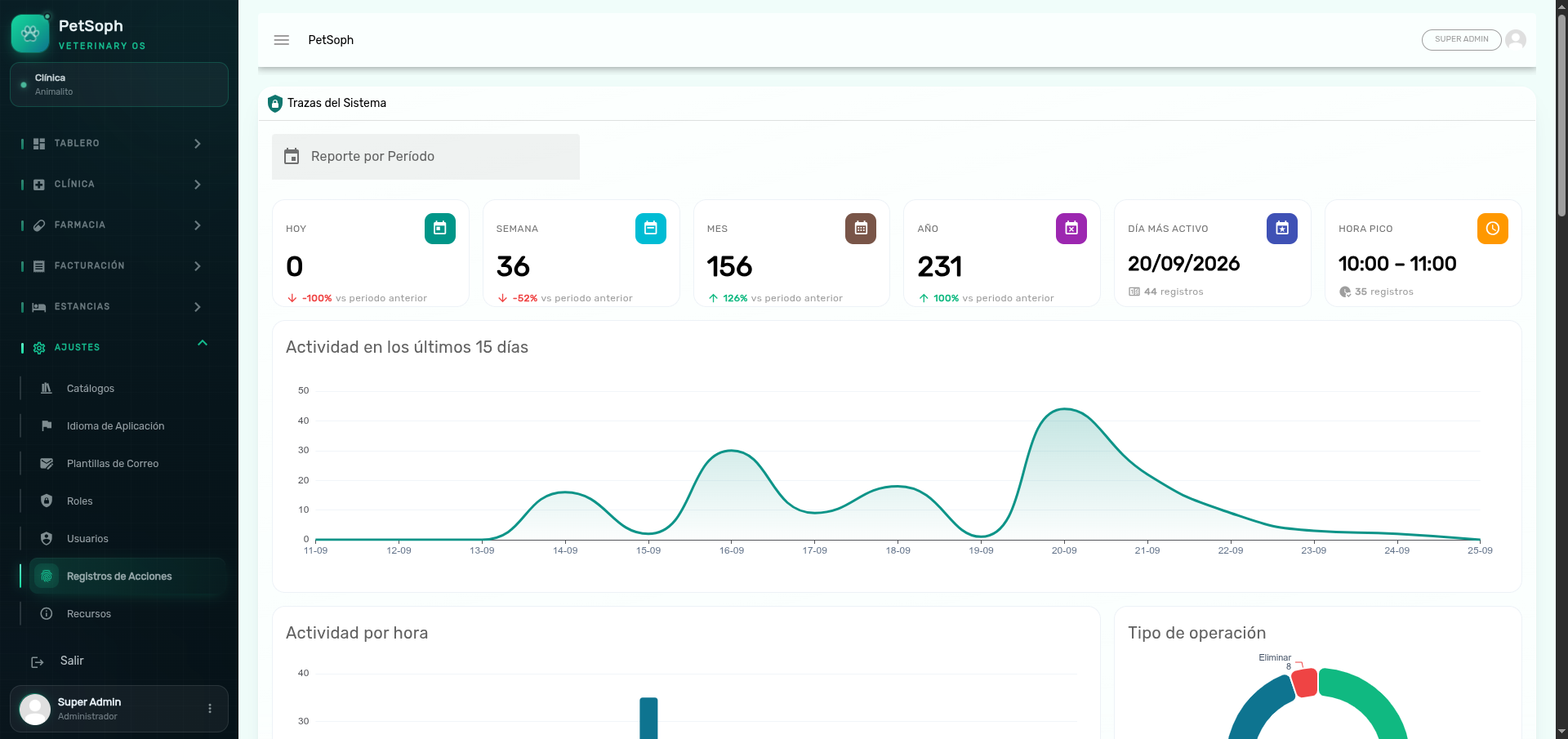 Figure 1. Analytics dashboard and audit trail of users, modules, and actions.
The summary panel
The top shows the statistics dashboard:
| Indicator | What it shows |
|---|---|
| Today / Week / Month / Year | Activity recorded in the period, with its % change vs. the previous period |
| Busiest day | The most active date in the selected range |
| Peak hour | The time slot with most activity (e.g. 10:00 – 11:00) |
Use the period selector (date range) to recalculate the panel.
Charts
| Chart | Content |
|---|---|
| Activity last 15 days | Daily record series |
| Hourly activity | Hours of the day with record counts |
| Operation split | Percentage of create / update / delete |
| Activity by action | The most frequent actions |
| Top users | The accounts with the most activity |
| Activity by module | Share of activity of each module |
| Day of week | Count per weekday |
Filter and review the detail
Above the table, you can filter by:
| Filter | Field |
|---|---|
| User | The account that performed the action |
| Action | Type of action (create, update, delete…) |
| From / To | Date range |
| Workstation | Computer it was performed from |
The table shows: view detail, user, action, workstation and date/time
(DD/MM/YYYY HH:mm). The detail button opens a view with the full content of the record.
What it records and what it does not
- It automatically records create, update and delete operations on the managed entities (users, pets, invoices, appointments, etc.).
- These records are read-only: they are neither edited nor deleted from the interface; they are the clinic’s historical evidence.
When data changes unexpectedly, Registros tells you which account did it, from where and when. Check it before asking the team.
The permission to view this screen is reserved for roles with access to Registros. Not every user can review it.
Next
- Server resources: the technical status of the system.