A role groups permissions: the operations a person can perform (view, create, edit, delete…). Assigning roles to users controls what each person can do inside PetSoph.
How to get there
- Sign in to PetSoph.
- Side menu Administración → Roles.
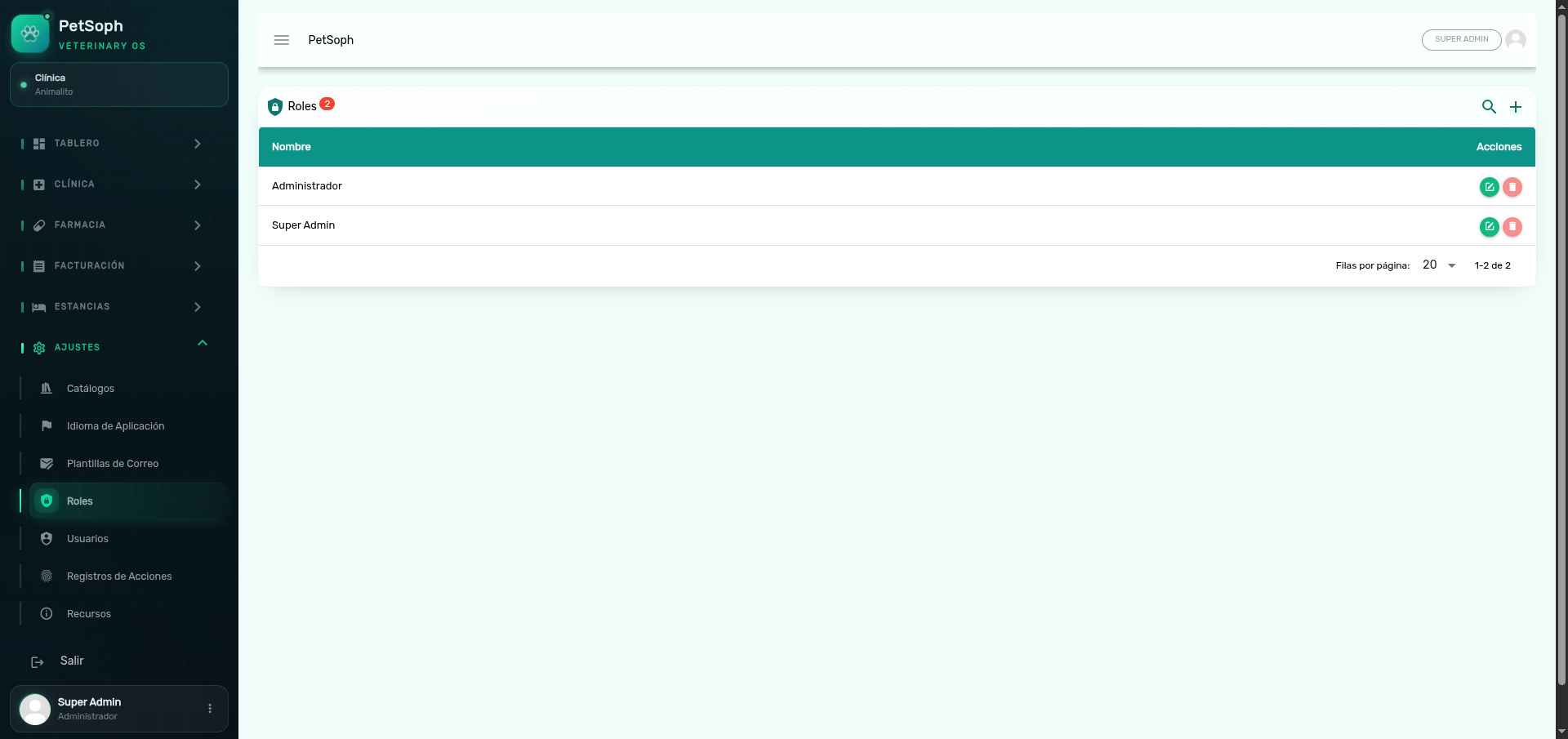 Figure 1. Role configuration with access control and permission matrix.
What the table shows
The list shows the name of each role (description) and its edit and delete buttons.
When opened, PetSoph already includes two roles:
| Role | Description |
|---|---|
| Super Administrador | Has all permissions; it is a system role |
| Administrador | Base role with management permissions |
Create a role
- Press + (add) on the screen bar.
- Type the role name.
- Check the permissions in the list (toggles on a scrollable panel).
- Save. The role’s technical identifier is completed automatically from the name.
Consejo
Check only the needed permissions (least privilege principle): a cashier does not need administration permissions, only those of Caja.
Edit a role
- Press the edit icon (pencil) on the row.
- Update the name or the checked permissions.
- Save. Changes apply to every user with that role.
System roles
Roles marked as system are protected:
- Their name cannot be edited (the field appears locked).
- They cannot be deleted (the delete button is disabled).
Atención
Removing administration permissions from a role immediately affects the users who have it, and their menu adjusts automatically.
Next
- Users: assign roles to the staff accounts.