Not every visit is paid in full at the counter: there are advances, partial payments and outstanding balances. This screen is where money enters the open cash shift.
Method of payment
Each collection declares one method:
| Method | Typical use |
|---|---|
| Cash | Counter classic |
| Card | POS or payment link |
| Transfer | Bank deposit (needs a reference) |
1. Collecting an invoice
- Invoices → open the pending or partially paid invoice → Collect.
- Enter the amount and the method.
- Optional reference (transaction number).
- Confirm: the movement is registered in the open shift and the invoice becomes Paid or Partially Paid.
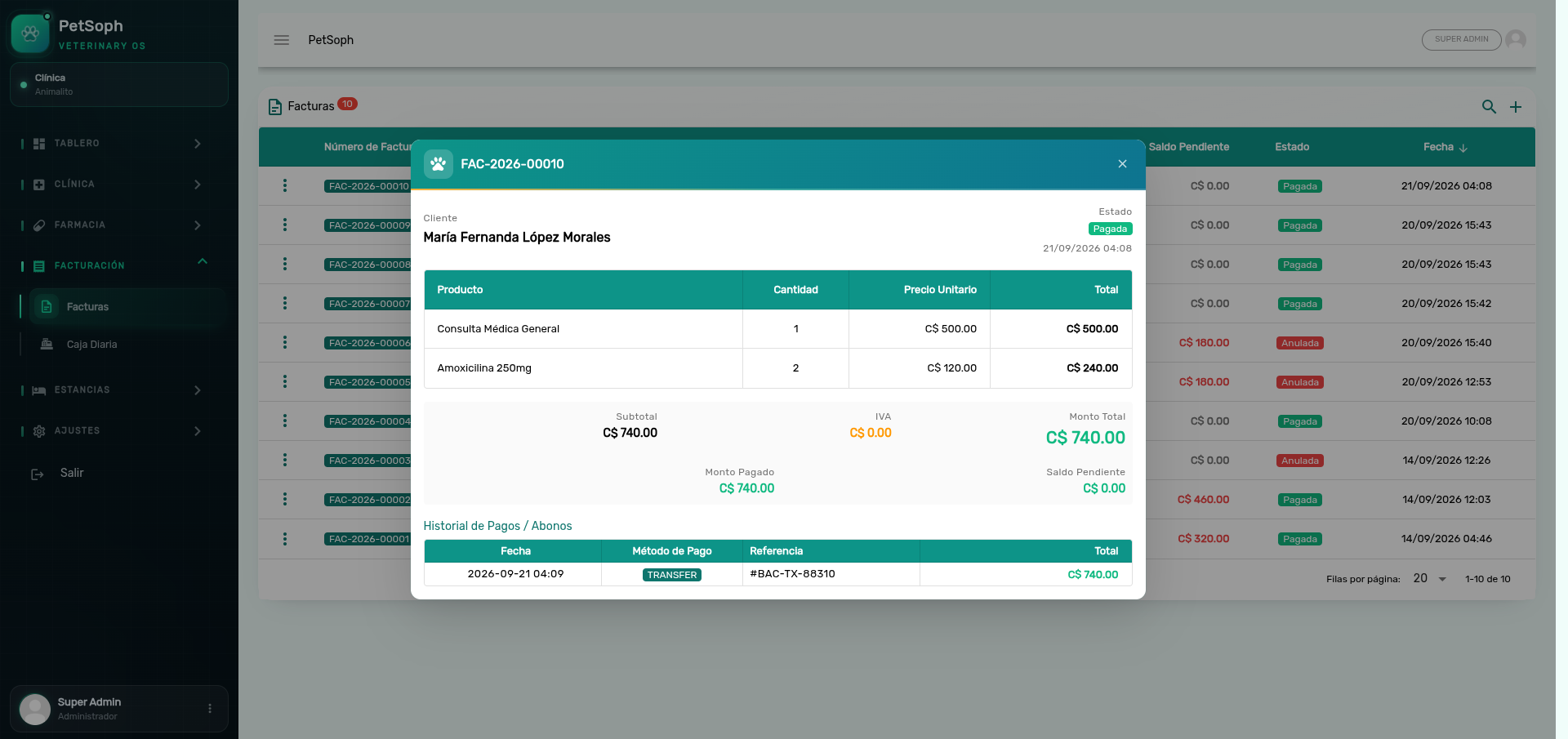 Figure 1. Invoice detail dialog with billing items and payment records.
You can’t collect more than what’s owed: the system blocks it and shows the outstanding balance so the payment is correct.
A shift must be open up front: without one, the operation is blocked. Same for voiding: to correct a charge you void from the Cash Register, which refunds the advance to the main owner.
2. Advances and partial payments
An advance (anticipo) is the allowed partial cash-in: concept (e.g. stay deposit), amount and method.
- On a stay: at admission you must collect 50 % of the estimated total. The stay cannot open without that deposit.
- On a visit: the consolidated invoice groups everything already dispensed + collected (consultation, vaccination, surgery, grooming) and collects the total in one go; the visit ends Settled.
The consolidated check-out is the fastest close for a full visit: it groups everything in one single invoice and charges the total at once — no separate bills for each clinical act.
What’s next
- Cash shifts: the shift where every collection ends up.
- Invoices and their lifecycle: states, numbering and lifecycle.
- Close-out and arqueo: square the shift at the end.
- Stays and their billing: the per-day stay invoices.
- Voiding: refund at the Cash Register.