In this article
The Pharmacy Dashboard brings together the critical inventory signals on a single screen: valued stock, expiry and stock alerts, movement trends, and the latest activity in the kardex and the controlled-drugs book.
Getting there
- Sidebar menu Pharmacy → Pharmacy Dashboard (Tablero de Farmacia).
- Press Refresh (Actualizar, top-right) to reload the information at any time.
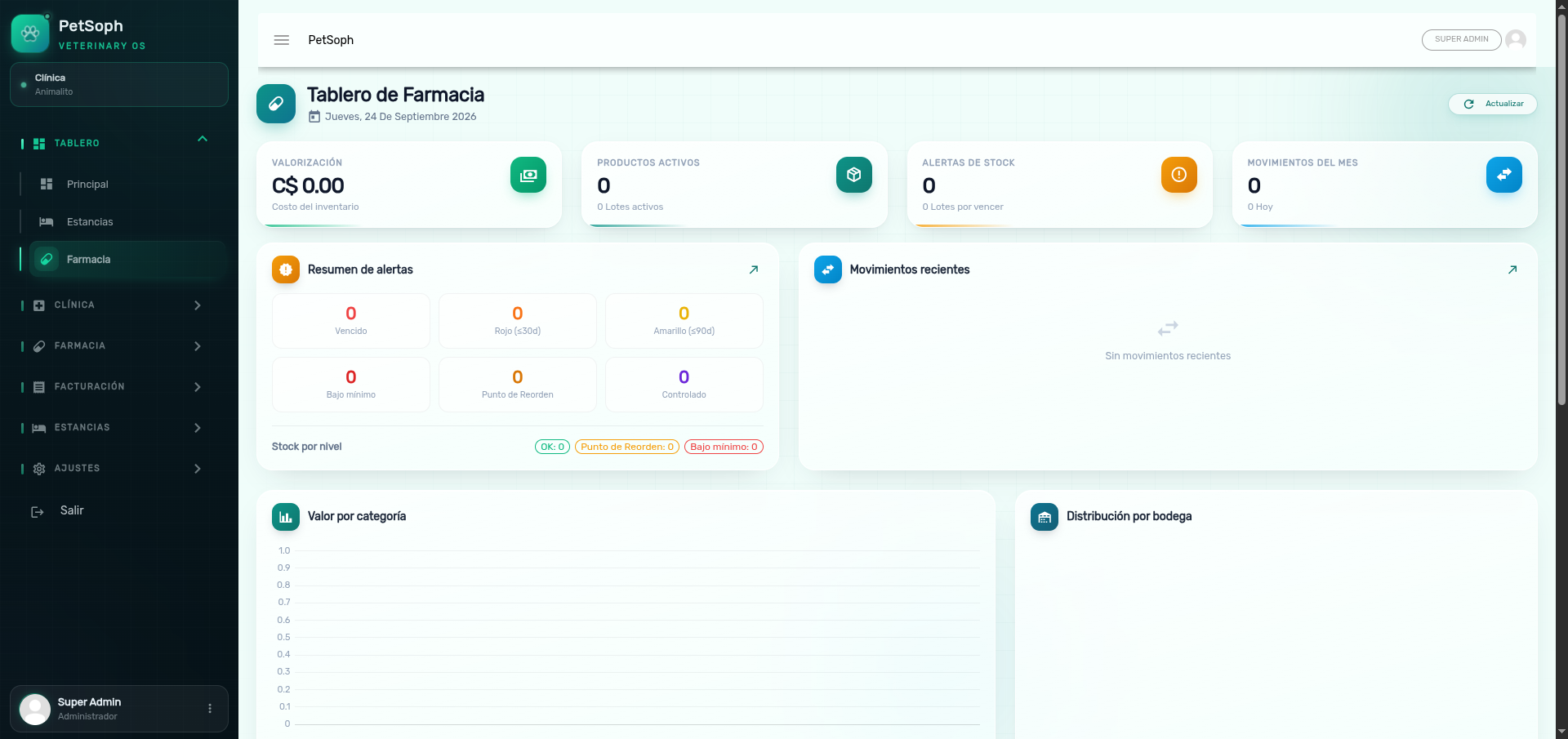 Figure 1. Pharmacy dashboard with key indicators, valuation charts, and inventory movements.
1. KPI cards
The top row shows six cards computed in real time:
| Card | What it shows |
|---|---|
| Valorización (Valuation) | Total inventory cost in córdobas (sum of base quantity × base unit cost). |
| Productos (Products) | Active products in the catalog. |
| Lotes activos (Active lots) | Lots with current balance (not depleted or expired). |
| Alertas stock (Stock alerts) | Lots with a stock alert; the subtitle shows how many are below minimum. |
| Por vencer (Expiring soon) | Lots expiring within ≤ 90 days. |
| Movimientos (Movements) | Movements of the current month; the subtitle shows how many happened today. |
2. Charts
The screen includes three charts:
- Inventory Value by Category (Valor del Inventario por Categoría): bars with the value of each category, sorted from largest to smallest. Use it to see where the capital is concentrated.
- Distribution by Warehouse (Distribución por Bodega): a doughnut chart with the value per warehouse. Hover each slice to see the amount in córdobas.
- Inventory Movements (6 months) (Movimientos de Inventario (6 meses)): an entries line (green) against an exits line (red) over the last six months. Check the consumption rhythm at a glance.
3. Alert summary
Next to the trend, the traffic-light summary:
| Chip | Color | Meaning |
|---|---|---|
| Vencidos (Expired) | Red | Already expired lots. |
| Rojo (≤30d) (Red ≤30d) | Orange | Expire within 30 days or less. |
| Amarillo (≤90d) (Yellow ≤90d) | Yellow | Expire between 31 and 90 days. |
| Bajo mínimo (Below min) | Red | Stock below the minimum. |
| En reorden (Reorder) | Orange | Stock at or below the reorder point. |
| Controlados (Controlled) | Purple | Number of controlled products in the catalog. |
Below, the Stock by level counters (OK, Reorder, Below min) add up the lots in every state.
4. Upcoming expiries
List of lots expiring soon with their product, warehouse, lot number, quantity and a status badge: Expired (red), Red (orange, shows days left), Yellow (yellow). When nothing is expiring soon, the screen shows Sin vencimientos próximos (No upcoming expiries).
5. Low stock / reorder
Lists the products whose balance is below the minimum or the reorder point. Shows category,
SKU and the quantity / min {minimum} badge; when the quantity is zero, the badge turns
red.
6. Recent movements
The last 10 kardex movements with product, movement type (Purchase/Receipt, Sale, Clinical
consumption, Expiry, Discard, Return, Invoice void, Adjustments and Transfers), warehouse, lot,
signed quantity (+/-) and date DD/MM/YYYY HH:mm.
7. Controlled-drugs book
The last 6 folios of the controlled-drugs book: product, folio, warehouse, signed quantity and date. A quick snapshot of controlled-drugs registration compliance.
The dashboard is a snapshot, not a history: values change with every operation. Use it at the start of the day and after each receipt or stocktake to catch alerts before they escalate.