In this article
This guide walks a new user through the basics: signing in, understanding the home screen and reaching the first modules. No installation steps are needed: the system runs in the browser.
Step by step
- Open the PetSoph address in your browser.
- Type your email and password.
- Press Sign In.
 Figure 1. PetSoph sign-in screen.
Bookmark the PetSoph address so you always enter directly.
The home screen
After signing in you see the Dashboard, the overview of the day:
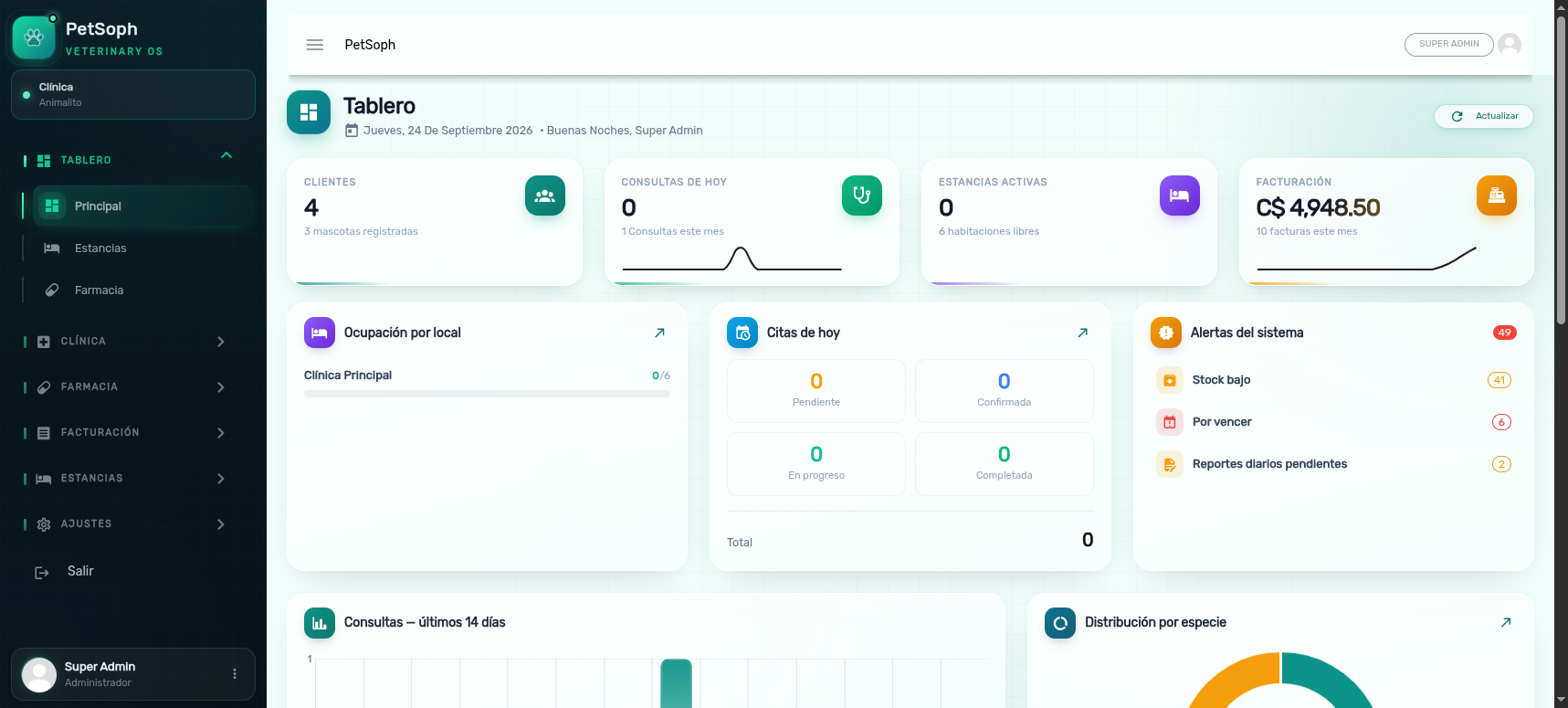 Figure 2. Main dashboard with metrics, occupancy, appointments and alerts.
| Element | What it shows |
|---|---|
| Principal | The summary of the day |
| Estancias | Occupancy of each location |
| Farmacia | Alerts and inventory status |
The side menu expands each module to work in: Clínica, Farmacia, Facturación, Estancias and Administración.
What you see depends on your role. An administrator sees more sections than a front-desk user. If a section you need is missing, ask your administrator for it.
Typical first tasks
When you start working:
- Create the first customer from Clínica → Clientes.
- Create the first pet from Clínica → Mascotas and link it to its owner.
- Book an appointment from Clínica → Citas.
- When attending, open the pet’s record from Mascotas.
Every module has its own article in this help center. Use the center’s search to jump straight to a topic: clientes, vacunas, kardex, arqueo…
Common errors
I don’t remember my password
On the sign-in screen press Olvidé mi Contraseña and check your email.
The screen locks itself
For security, the session locks after a period of inactivity. Type your password again to unlock it.
What’s next
- Navigation: understand the side menu.
- Search: find customers, pets and products.
- My account: review your profile and password.