In this article
The Clinic module is the core of PetSoph: it gathers everything that happens with every patient throughout their life at the clinic. Medical visits, vaccinations, surgeries, grooming, veterinary services, and vital signs are all kept in a single clinical record accessible in seconds.
How to get there
- Log in to PetSoph.
- In the side navigation, go to Clinic → Clinical Record and search for the patient by name or owner.
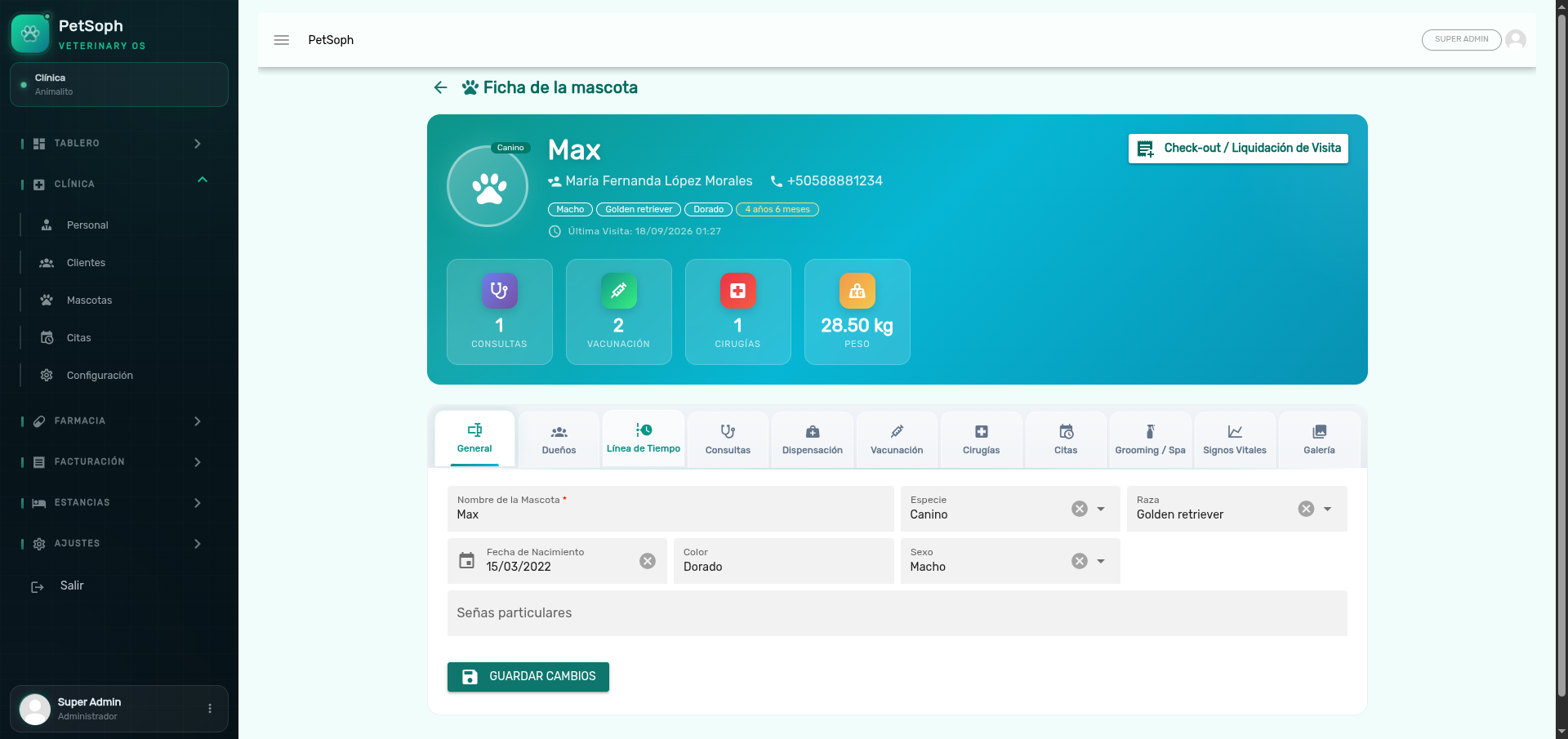 Figure 1. Overview of the patient clinical record and cumulative medical metrics.
What you can do in this module
| Screen / Section | Purpose |
|---|---|
| Clinical Record | The complete pet profile: demographics, owners, timeline, and photos |
| Medical Consultation | Record visit reasons, diagnoses, prescriptions, and notes |
| Prescription | Printable medical prescription with clinic header |
| Vaccination | Vaccination history and booster scheduling |
| Surgeries | Surgical procedures and anesthesia logs |
| Grooming | Aesthetic services with workflow statuses and billing |
| Clinic Services | Independent catalog of clinical services, procedures, and pricing |
| Vital Signs | Weight, temperature, heart rate, and respiratory rate |
| Appointments / Calendar | Clinic schedule in table and calendar views |
| Dispensation | Prescription dispensing directly from pharmacy |
| Consolidated Check-out | Single invoice covering the entire visit with partial payment options |
Key concepts
Single clinical record per pet
Every pet has one unique medical record gathering consultations, vaccinations, surgeries, grooming, and vital signs throughout their lifetime. History is ordered chronologically.
Independent services catalog
Clinical services (consultations, surgeries, immunizations, grooming, hospital care) have their own services catalog, decoupled from physical pharmacy products. They have defined prices, estimated durations, and tax configurations separate from inventory stock.
Single billing per clinical act
A consultation, vaccination, surgery, or grooming session can only be billed once. If already invoiced, the system prevents duplicate charges. To adjust charges, the invoice must first be voided from Cash Register.
What’s next?
- Clinical record: the complete pet profile.
- Clinic services: independent catalog of services and rates.
- Appointments / Calendar: clinic schedule and calendar.
- Medical consultations and prescriptions: recording patient visits.
- Vaccination: vaccination record and booster tracking.
- Vital signs and weight: vital trends and weight tracking.
- Surgeries: surgical procedures.
- Grooming: aesthetic care.
- Dispensation: pharmacy prescription fulfillment.
- Consolidated check-out: one-click invoice for the whole visit.