Your profile holds your personal details inside PetSoph: name, email, phone and photo. From there you also change your password, and if you forget it there is a recovery path.
Where it is
- Sign in to PetSoph.
- In the top bar or the side menu, click your avatar.
- Select My Profile.
Consejo
If you do not see the profile link, look for your user photo in the top bar; it is always there.
My profile
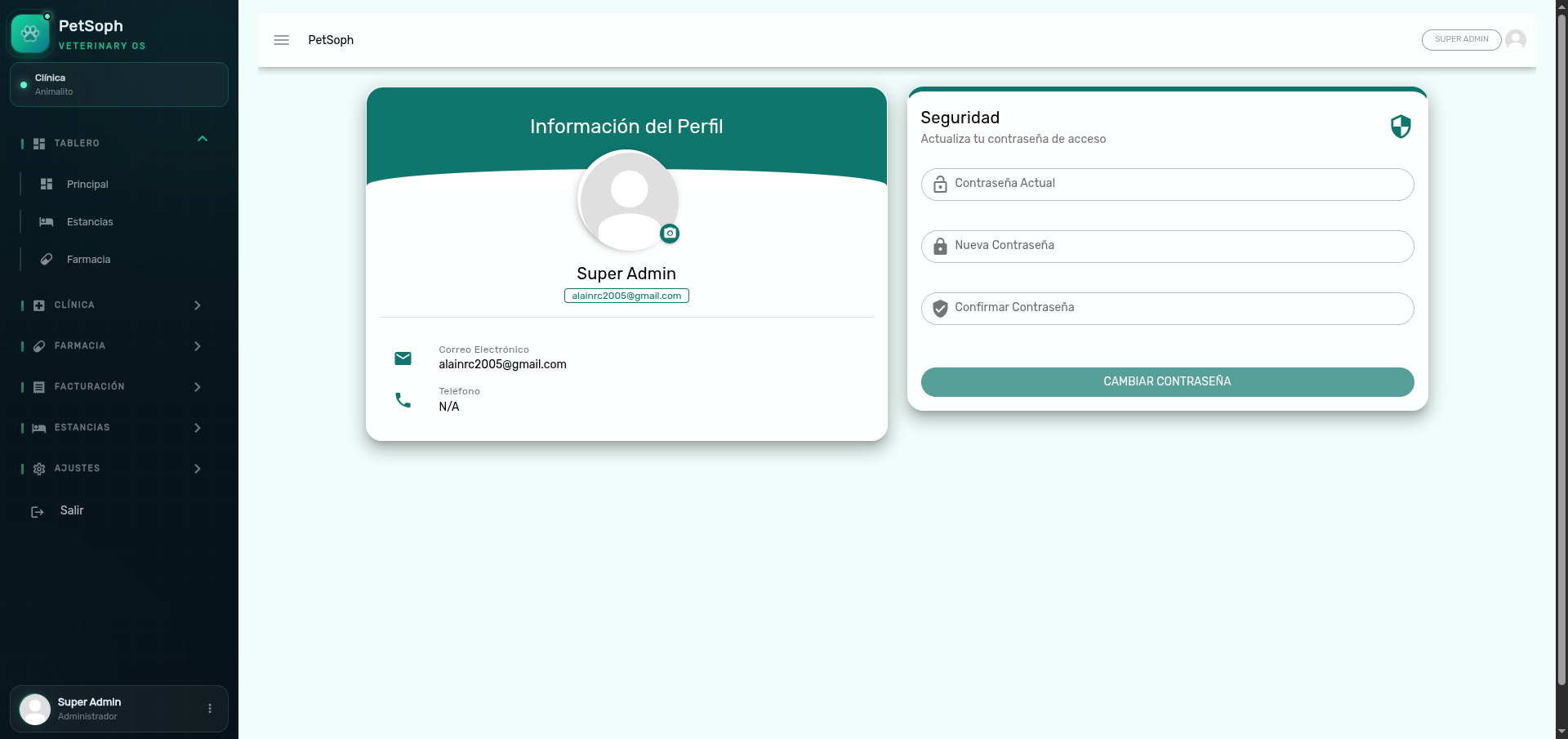 Figure 1. Profile information and password change screen.
| Field | What it is |
|---|---|
| Nombre | Your name as shown in the system |
| Correo Electrónico | Your login account |
| Teléfono | Your contact phone |
| Foto | Your avatar image (uploaded with Cambiar Foto) |
Change my password
- Go to your profile.
- In the Security section, type:
- Contraseña Actual (current password)
- Nueva Contraseña (new password, at least 8 characters)
- Confirmar Contraseña (repeat the new password)
- Save the change.
Importante
The password must be at least 8 characters long. PetSoph does not store passwords in plain text: they are saved encrypted.
I forgot my password
- On the Sign In screen press Olvidé mi Contraseña.
- A recovery link is sent to your email.
- Follow the link to reset the password.
Atención
The recovery link is sent to the email registered on your user. If it does not arrive, check your spam folder or contact your administrator.
What’s next
- Navigation: move around the modules.
- First steps: get to know the home screen.
- Support and help: where to ask for help if the problem persists.