In this article
The surgery screen records any surgical procedure the pet undergoes —from a castration to a complex intervention— with its anesthesia, pre and post-operative notes, complications and result. Like every clinical act, each surgery generates one invoice.
Getting there
- Clinical → Surgeries and register a new procedure for the selected pet.
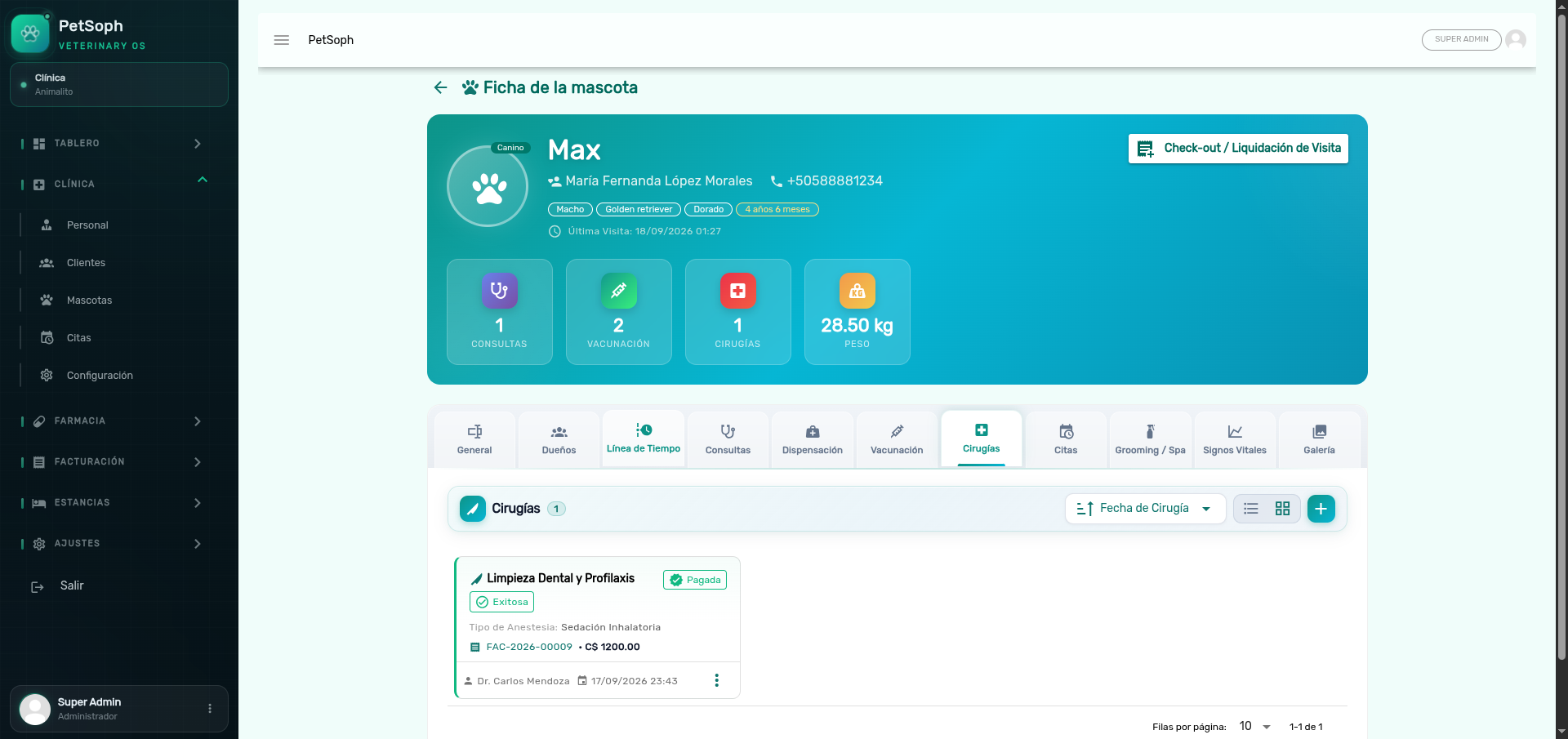 Figure 1. Surgical record showing procedure, anesthesia type, outcome status, and clinical notes.
1. Registering the surgery
| Field | What it is for |
|---|---|
| Procedure name | Choose from the surgical catalog (180+ procedures) |
| Surgery date | Date of the intervention |
| Anesthesia type | E.g. inhalation, injectable, local |
| Pre-operative notes | preOpNotes: fasting, exams, clinical condition |
| Post-operative notes | postOpNotes: recovery, wound, indications |
| Complications | Anything out of the ordinary during the surgery |
| Result | outcome: successful / with complications / critical |
| Veterinarian | The surgeon (registry of the staff) |
Catalog of procedures
Choosing the procedure from the surgical catalog loads its standard data (categories by specialty), so the record stays consistent and billing gets its catalog price.
A surgery with a critical result or complications should include the corresponding detail in the notes. The result is clinical summary for a future review, not a complaint channel.
2. Billing the surgery
Each surgery is invoiced once, like every clinical act:
- Save the surgery (it remains ready to bill).
- Settle it in the Consolidated check-out, together with the consultation and the rest of the visit.
A surgery that already has an invoice cannot be billed twice. To correct the charge, void the invoice from the Cash Register first; only then the surgery returns to ready to bill.
What’s next
- The clinical record: where surgeries pile up in the timeline.
- Consolidated check-out: settle surgery + consultation in one invoice.
- Grooming: the esthetic services that also get billed.