In this article
A Habitación is the physical unit assigned to a pet (a cage, a kennel, an ICU bed). Each room belongs to an area and has a type, a capacity and a daily rate.
Where it is
- Sign in to PetSoph.
- Side menu Estancias → Habitaciones.
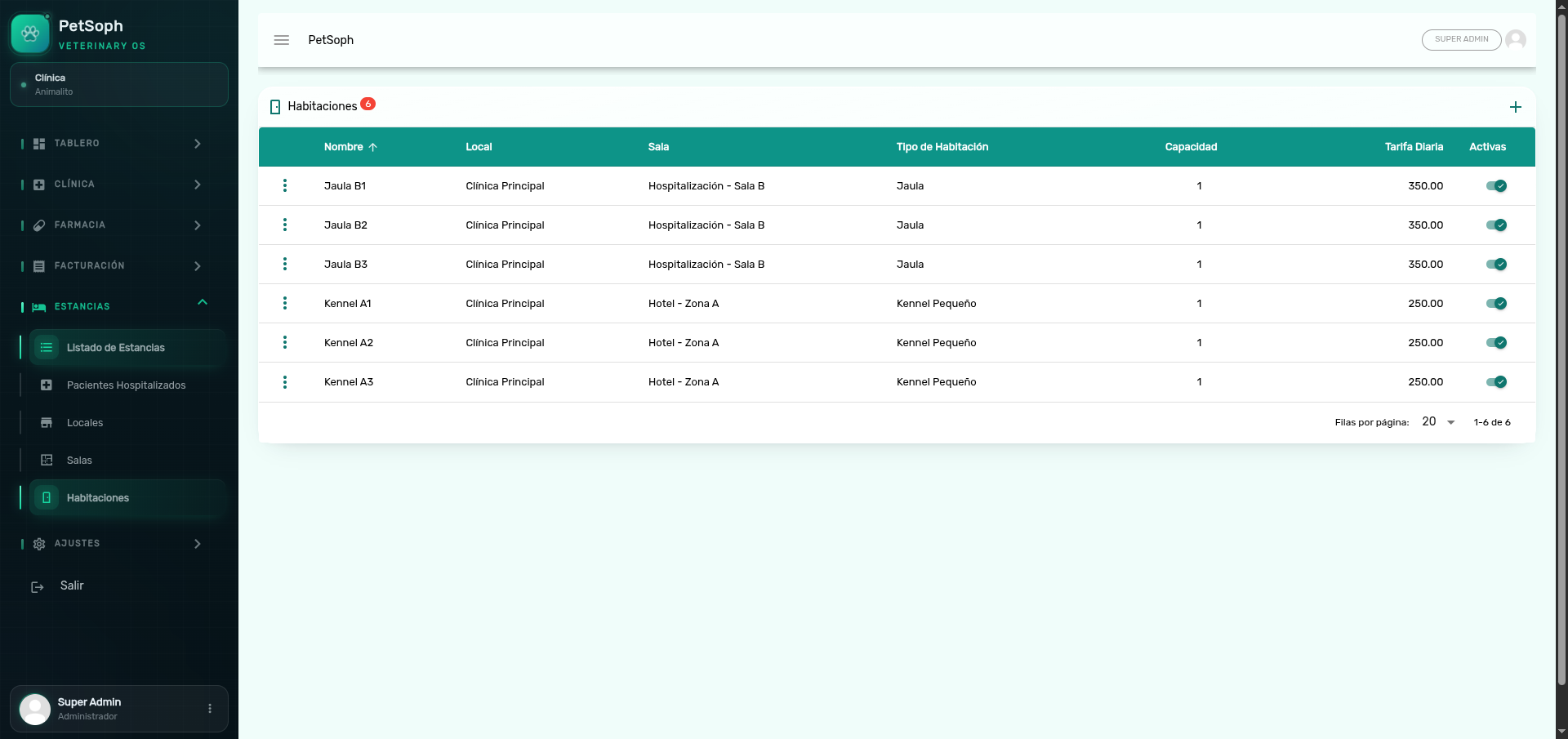 Figure 1. Room catalog showing type, area, daily rate, and status.
Room types
| Type | What it is used for |
|---|---|
| Kennel Pequeño / Mediano / Grande | Boarding dogs by size |
| Suite | Premium boarding |
| Jaula | Hospitalization / containment |
| Cama UCI | Intensive care |
| Aislamiento | Quarantined patients |
| Recuperación | Post-surgery |
| Exóticos | Exotic species |
Form fields
| Field | What it is | Required |
|---|---|---|
| Nombre | Room identifier (e.g. Jaula B1) | Yes |
| Local | Filters the areas of the locale | Yes |
| Sala | The area where it is located | Yes |
| Tipo de Habitación | Type and expected species | Yes |
| Capacidad | Places in the room | No |
| Tarifa Diaria | Price per day when billing the stay | No |
| Tamaño (m²) | Usable surface | No |
| Amenidades | Features (water, food, monitor…) | No |
| Activo | Toggle to offer it in reservations | No |
Step by step
- Press + (add) in the screen toolbar.
- Choose the local (areas filter to it) and the sala.
- Select the room type and enter the name.
- Complete the daily rate and, optionally, capacity, size and amenities.
- Save. The Activo toggle is on by default.
Consejo
The daily rate is the one shown when choosing the room in a reservation, and it is the base for calculating the night-by-night billing of the stay.
Atención
A room occupied in the reservation’s date range does not appear among the available ones. If the stay overlaps another active reservation of the pet, the system rejects it automatically.
What’s next
- Stay lifecycle: how a room is assigned to a reservation.
- Salas: the areas that group these rooms.