In this article
The vaccination card records the shots each pet receives, next dose included, organized by species (the system advises the booster calendars for dogs and cats). It lives in the pet’s clinical record and, like any clinical act, generates one invoice.
Getting there
- Clinical → Vaccination and add a dose to the selected pet.
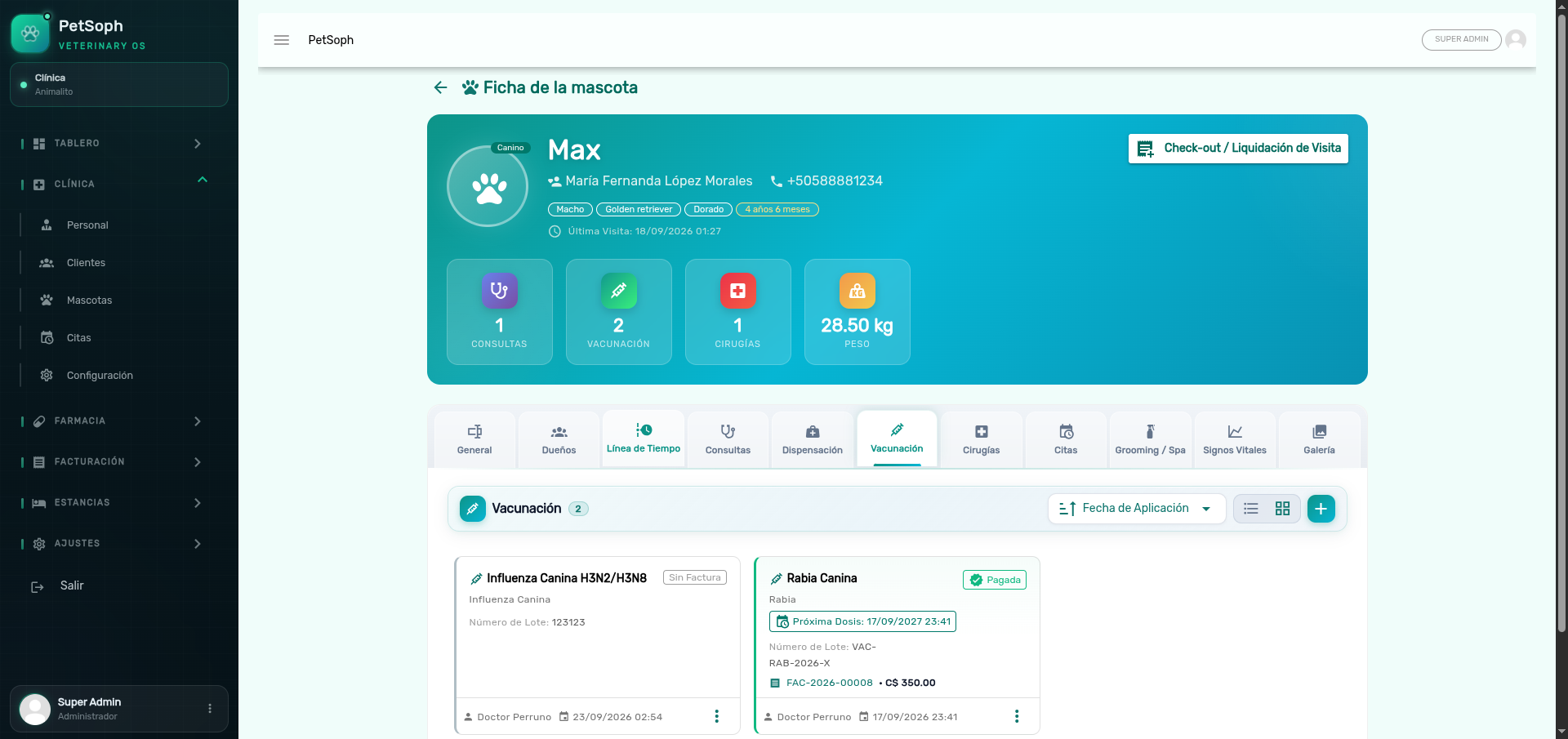 Figure 1. Vaccination record with applied doses, lot numbers, and upcoming due dates.
1. Registering a dose
| Field | What it is for |
|---|---|
| Vaccine | Vaccine from the catalog (polyvalent, rabies, etc.) |
| Application date | Last dose applied |
| Next dose date | Recommended date for the booster (auto-suggested per species) |
| Batch | Vaccine batch number |
| Application site | e.g. subcutaneous, caudal thigh |
| Observations | Free text (e.g. adverse reaction) |
Catalog vaccines
Selecting the vaccine from the vaccination catalog carries its recommendations automatically (species, intervals), so the card suggests the next dose and keeps the schedule consistent.
The next dose date is your ally in the clinic: it feeds the follow-up reminders so the clinic re-contacts the owner before the protection expires.
2. Billing the vaccination
Like every clinical act, the vaccination is invoiced once:
- Save the dose in the card (it remains ready to bill).
- Settle it through the Consolidated check-out of the visit, together with the consultation.
A vaccination that already has an invoice cannot be billed a second time. The only way to correct the charge is to void the invoice from the Cash Register; only then the dose returns to ready to bill.
What’s next
- The clinical record: where the card is stored with its tabs.
- Vital signs: the physical evolution of the pet.
- Consolidated check-out: settle the vaccination together with the consultation.