In this article
Dispensing is handing to the owner the medicine the veterinarian prescribed in the consultation. It is the step that turns the written prescription into delivered and charged medicine: the drug leaves the pharmacy inventory and the dispensing is billed to the pet’s main owner.
Dispensing belongs to the clinical flow but is executed from Pharmacy. Only the clinical part is explained here; warehouses, batches and kardex details live in the Pharmacy module.
Getting there
Inside the Clinical Record, pill Dispensing (or Prescriptions to dispense). You can also enter from menu Pharmacy → Dispensing.
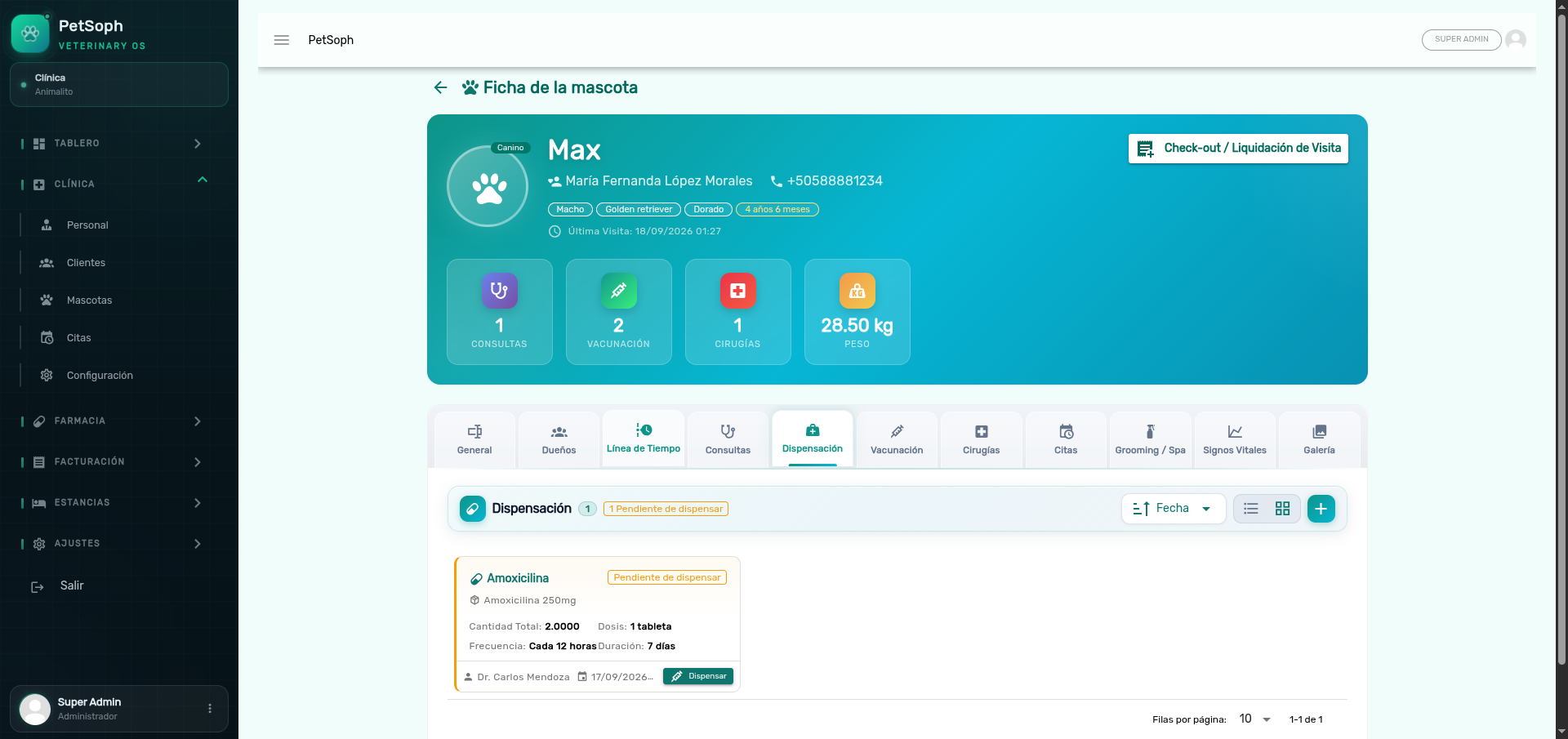 Figure 1. Prescription dispensing module linked to pharmacy products.
The fastest way to finish a visit is to mark the prescriptions in the Consolidated check-out: the system dispenses them and bills them in the visit’s single invoice. Individual dispensing is for when the owner pays only the medicine, without the consultation.
1. What you need to dispense
| Requirement | Why |
|---|---|
Warehouse (warehouseId) |
Where the medicine comes out of (required) |
| Veterinarian | Who authorizes the hand-over (pre-loaded with the one who prescribed) |
| Prescription linked to a product | The recipe must have an associated product (see below) |
| Stock balance | There must be units in the chosen warehouse |
Prescription linked to a product
To be dispensable, the prescription must be linked to a product in the pharmacy catalog. If the vet only wrote free text (medicine without product), the prescription cannot be dispensed: the system blocks it with a warning.
If the vet has a controlled-medicines license and the prescription is a controlled drug,
dispensing requires the vet’s license number (licensure) and a warehouse that is not
frozen. Without a license the hand-over is blocked.
2. Step by step
- Open the pet’s pending prescription.
- Check Medication, Dosage/Frequency/Duration and the quantity to hand.
- Confirm the warehouse the stock comes out of.
- Add the Diagnosis (optional) and, if any, Observations.
- Press Dispense and Bill.
On confirmation the system:
- Generates the clinical consumption movement in the kardex, taking from the batch with the soonest expiry date (FEFO).
- Creates the dispensing invoice and leaves it Pending to be charged at the Cash Register.
- Links the prescription to that invoice.
Rules applied while dispensing
| Rule | What it means in practice |
|---|---|
| Single dispensing | A dispensed prescription with a valid invoice cannot be dispensed twice |
| Controlled medicines | Require a licensed veterinarian and leave a record in the Controlled Medicines Book |
| Frozen warehouse | A frozen warehouse blocks the exit |
| Insufficient stock | If the balance is not enough, the system warns and never delivers more |
| Mandatory deposit (stays) | If the pet has a hospitalization stay, dispensing records the 50 % deposit required at admission |
If the pet has no main owner, dispensing is blocked: there is no one to bill the hand-over to. Register the owner in the record first.
What’s next
- Vital signs: how weight, temperature and rates are recorded.
- Vaccination: the card, next dose included.
- Surgeries: surgeries and procedures, with billing.