The Administration module holds PetSoph’s base configuration: the catalogs that feed every dropdown list, the interface languages, the email templates, the roles and permissions, the users, the activity log and the server resource status.
How to get there
- Sign in to PetSoph.
- The side menu Administration groups every screen of the module.
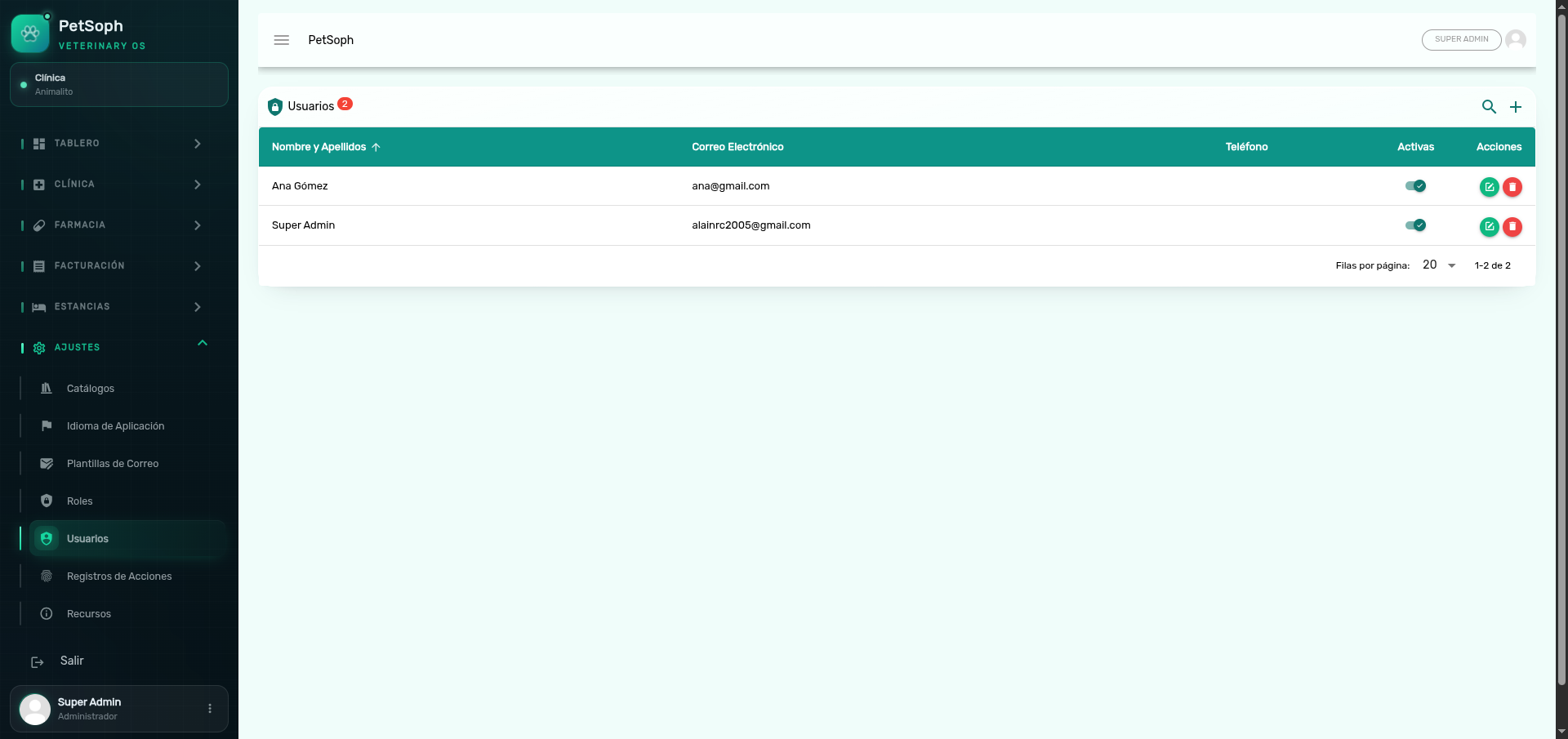 Figure 1. Centralized administration, users, catalogs, and system settings.
This menu only appears if your account has administration permissions. The rest of the staff will not see it.
Module screens
| Screen | What it is for |
|---|---|
| Catálogos | Master lists (species, breeds, medications, visit reasons, positions…) |
| Idiomas del Sistema | Interface translations (Spanish, English, French) |
| Plantillas de Correo | Drafting of the automatic emails |
| Roles | Definition of roles and their permissions |
| Usuarios | Staff accounts and the roles each person can use |
| Registros | Activity log of the whole application |
| Recursos | CPU, memory, disk and swap status of the server |
Security model
PetSoph controls access with three pieces:
- Permissions: specific operations (view, create, edit, delete…).
- Roles: permission groups (Super Administrador, Administrador, etc.).
- Users: staff accounts that receive one or more roles.
A user only sees on the menu the screens allowed by their roles.
Think of it as a chain: the menu shows options based on the roles of the signed-in user; roles hold permissions; permissions open screens and actions.
Changes to catalogs, languages or templates affect the whole clinic. Review before saving; catalog changes spread to the workstations in real time.
Interface labels
The interface is 100% in Spanish, even though the application is multilingual. Language changes are managed in Idiomas del Sistema.
Next
- System catalogs: manage the master lists.
- Roles and permissions: set what each role can do.
- Users: create the staff accounts.